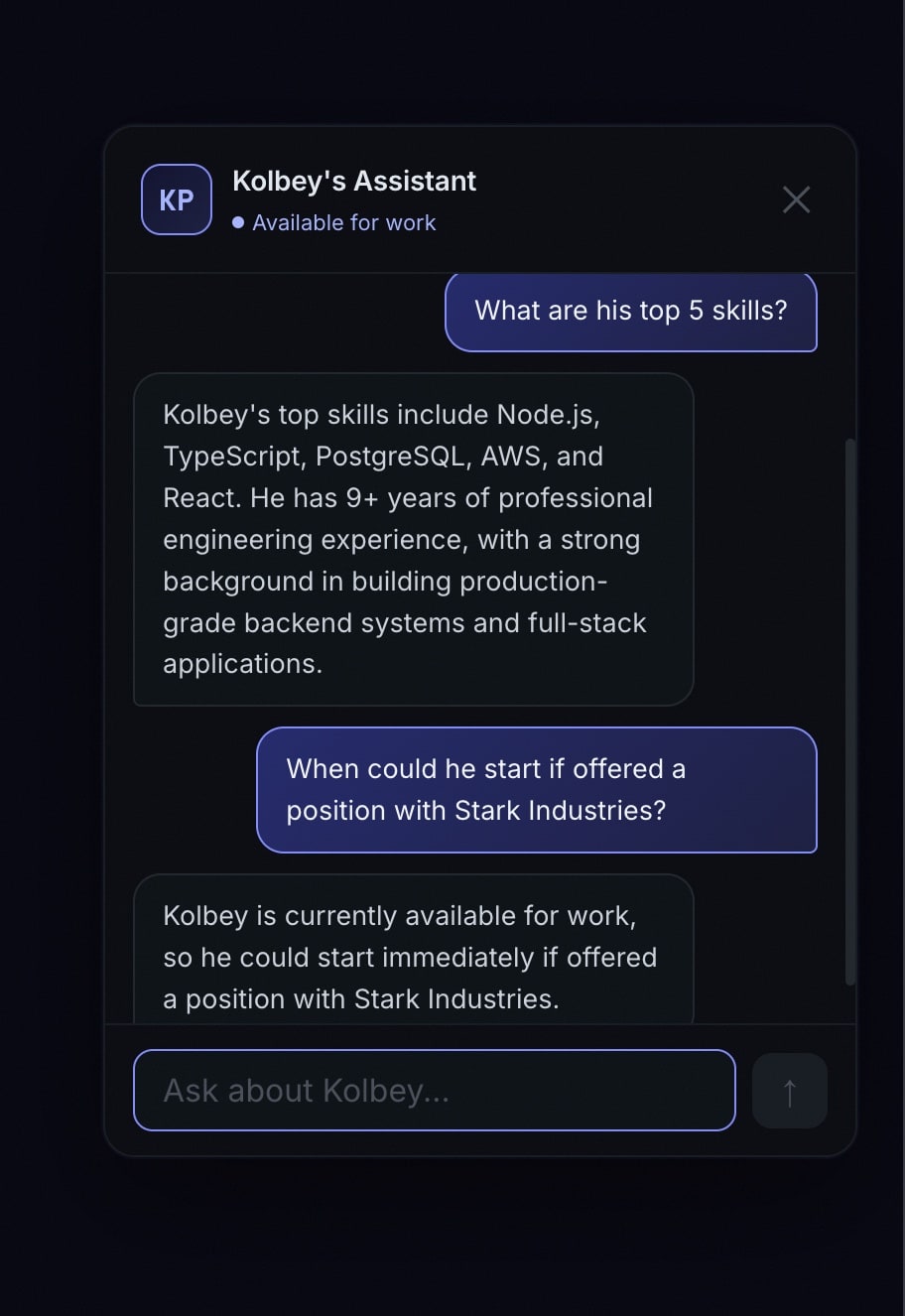
I wanted visitors to my portfolio site to be able to ask questions and get real answers — not canned FAQ responses, but actual conversational answers about my work, skills, and experience. So I built an AI chatbot powered by Claude, running on Cloudflare Workers.
Here’s the architecture, the decisions I made, and what I learned.
Architecture Overview
The system has three parts:
- Frontend widget — A lightweight chat UI embedded in the portfolio site
- Cloudflare Worker — Handles API routing, session management, and calls the Claude API
- D1 database — Stores conversation history for analytics and session continuity
The Worker sits between the frontend and Claude, which gives me control over rate limiting, system prompts, session tracking, and cost management.
The System Prompt
The most important part of any chatbot isn’t the code — it’s the prompt. I wrote a detailed system prompt that gives Claude context about my background, projects, skills, and what I’m looking for. The key principles:
- Be specific. Generic instructions produce generic responses. I included actual project names, tech stacks, and specific accomplishments.
- Set boundaries. The bot should answer questions about my professional background, not help with homework or write code.
- Match my voice. I wanted the bot to sound like me — direct, technical, no fluff.
const systemPrompt = `You are a helpful assistant on Kolbey Pruitt's portfolio website.
You know about his background, projects, and skills. Answer questions
conversationally and accurately. If you don't know something specific,
say so rather than making it up.

Key facts:
- 9+ years of software engineering experience
- Specializes in Node.js, TypeScript, PostgreSQL, AWS
- Built production platforms including Wealth Flow, CampHost, Hymnal
...`;
Streaming Responses
Nobody wants to stare at a loading spinner for 3 seconds waiting for a complete response. I implemented streaming using the Claude API’s streaming mode and Server-Sent Events (SSE):
const stream = await anthropic.messages.stream({
  model: "claude-sonnet-4-20250514",
  max_tokens: 1024,
  system: systemPrompt,
  messages: conversationHistory,
});

return new Response(stream.toReadableStream(), {
  headers: {
    "Content-Type": "text/event-stream",
    "Cache-Control": "no-cache",
  },
});
The frontend reads the SSE stream and renders tokens as they arrive. The result feels instant and natural.
Session Management
Each visitor gets a session ID stored in localStorage. This lets them continue conversations across page navigations and return visits. On the backend, I store conversation history in Cloudflare D1 (SQLite at the edge):
- Conversations table — session ID, timestamps, metadata
- Messages table — role, content, linked to conversation
This also doubles as analytics. I can see what questions people ask most frequently, which helps me improve the portfolio content itself.
Connecting to Microsoft Clarity
I went a step further and linked chatbot sessions to Microsoft Clarity session recordings. When someone has a conversation with the bot, I capture the Clarity session ID and store it alongside the conversation. This lets me watch the actual user journey — what pages they visited, how they interacted with the site, and what led them to the chatbot.
Notifications
When someone starts a new conversation, I get a Telegram notification with a summary. This keeps me aware of visitor engagement without constantly checking a dashboard.
Cost Management
AI API calls cost money. A few guardrails I put in place:
- Max tokens per response — Capped at 1024 to prevent runaway responses
- Rate limiting — Per-session and global rate limits in the Worker
- Conversation length limits — After a certain number of exchanges, the bot politely suggests emailing me directly
Lessons Learned
Edge computing is the right fit for this. Cloudflare Workers cold-start in under 5ms. The chatbot feels instant regardless of where the visitor is located.
The system prompt is your product. I spent more time iterating on the prompt than writing the actual Worker code. A well-crafted prompt is the difference between a useful tool and a party trick.
Analytics are worth the effort. Seeing what real visitors ask revealed gaps in my portfolio that I didn’t know existed. Several questions kept coming up about topics I hadn’t covered on the site — so I added that content.